[VCF] [PART 1] Edge node out of SDDC Manager, out of Broadcom support
I worked with a customer running a VCF infrastructure where the NSX Edge Nodes were deployed outside of SDDC Manager. The initial deployment was done on VCF 4.2.
When running the VCF Diagnostic Tool, the tool reported an error. Although this error is not critical, the configuration is flagged as unsupported by VMware/Broadcom Support, since the Edge Nodes were not deployed directly through SDDC Manager.
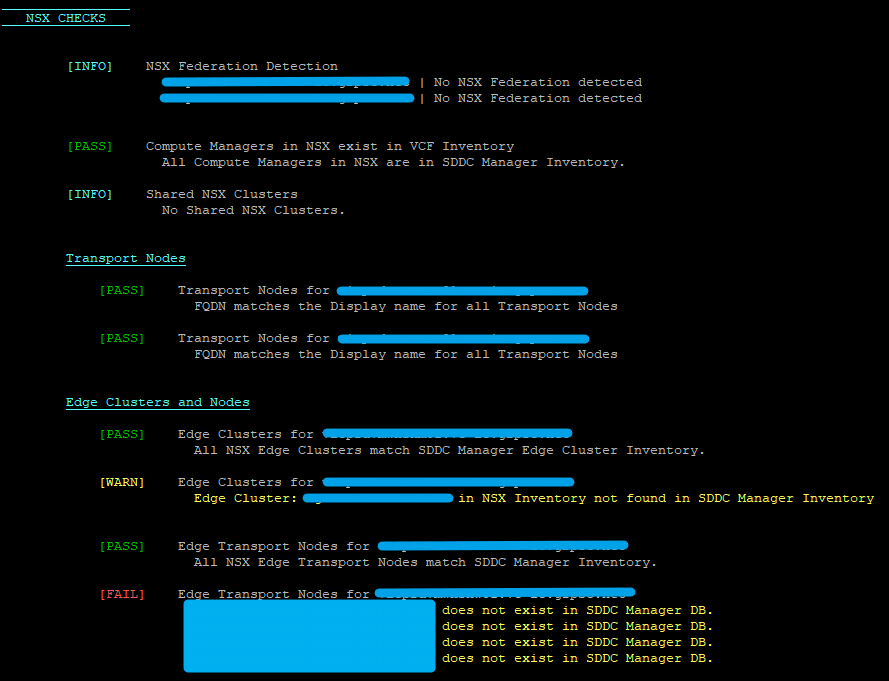
The only supported way to resolve this issue is to redeploy all Edge Nodes directly via SDDC Manager.
However, when the infrastructure is already in active use, this process is more complex. Redeploying Edge Nodes in an active-active design introduces a short disruption, potentially causing micro packet loss for workloads during the transition.
Before starting, ensure the following prerequisites are met:
- Prepare all required Edge Node parameters (IPs, DNS name, VLAN, …)
- Verify that both physical sites are fully operational (routing, connectivity, etc.)
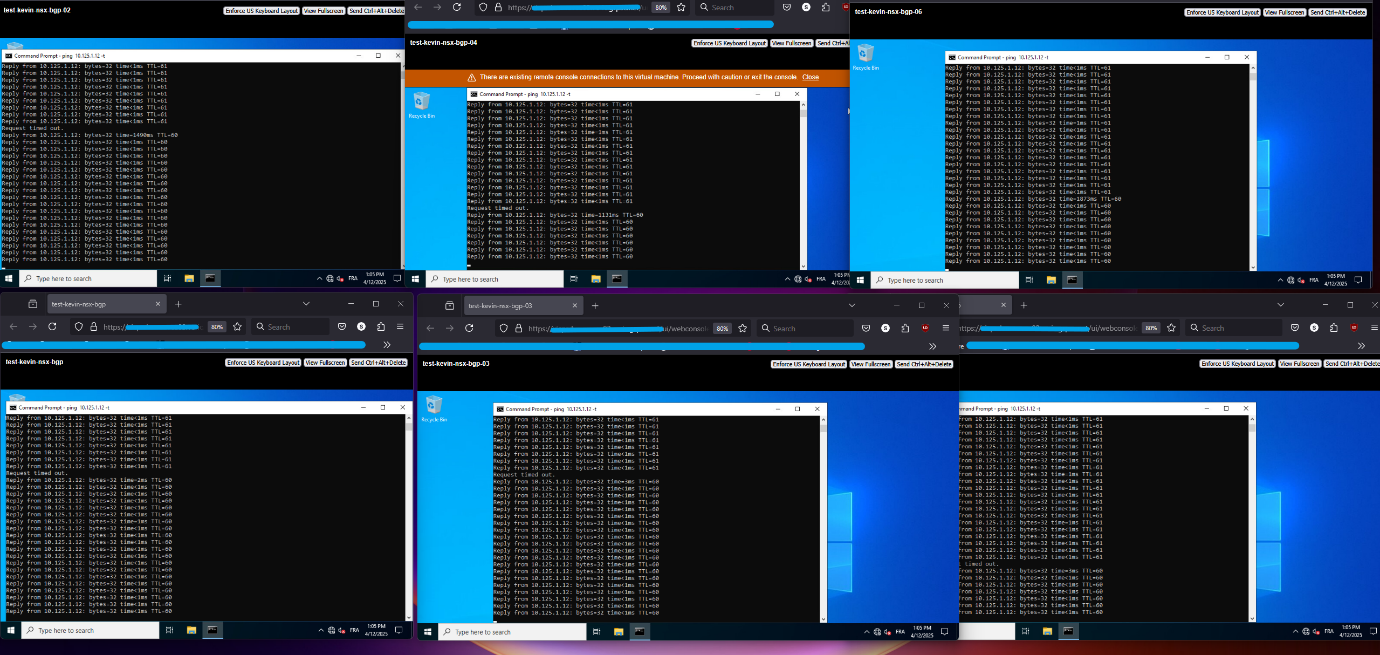
- Deploy multiple test VMs across both sites to validate connectivity (in my case I used continuous ping tests)
- Remove existing Edge Nodes (Ensure all attached configurations are removed, BGP sessions, T0 uplink, … you will get an error in case that is not done)
- Redeploy Edge Nodes via SDDC Manager through Api requests or manually
- Migrate all workloads to the newly deployed Edge Nodes
- Remove the old Edge Nodes from NSX, and expand the Edge Cluster on SDDC Manager
In my case, the customer had four Edge Nodes in an active-active configuration, split across two sites.
To minimize impact :
- I redeployed two Edge Node (one per site) through SDDC Manager
- I migrated all workloads to the new Edge Nodes
- Once traffic was stable, I removed the remaining two legacy Edge Nodes
Edge Cluster Deployment Using API
To simplify the redeployment process, I used SDDC Manager API requests. 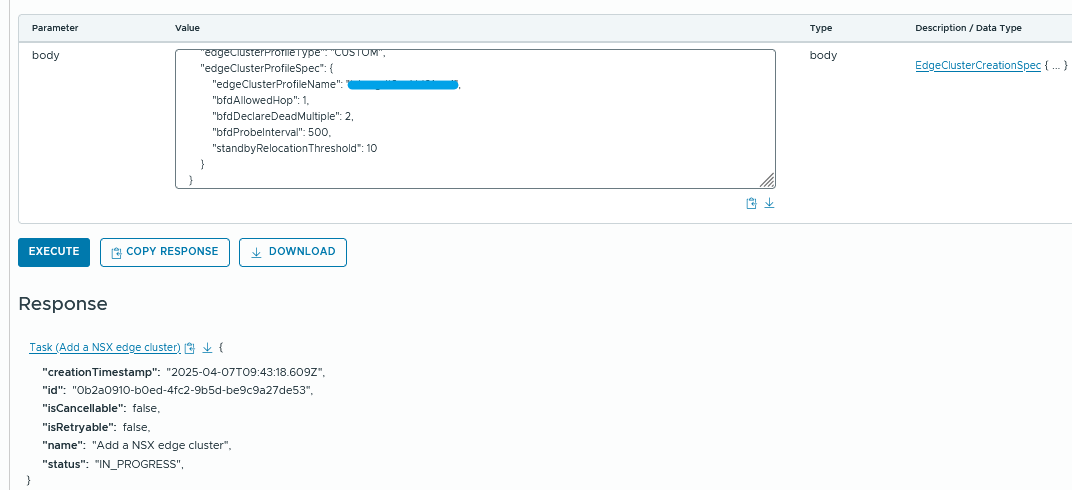
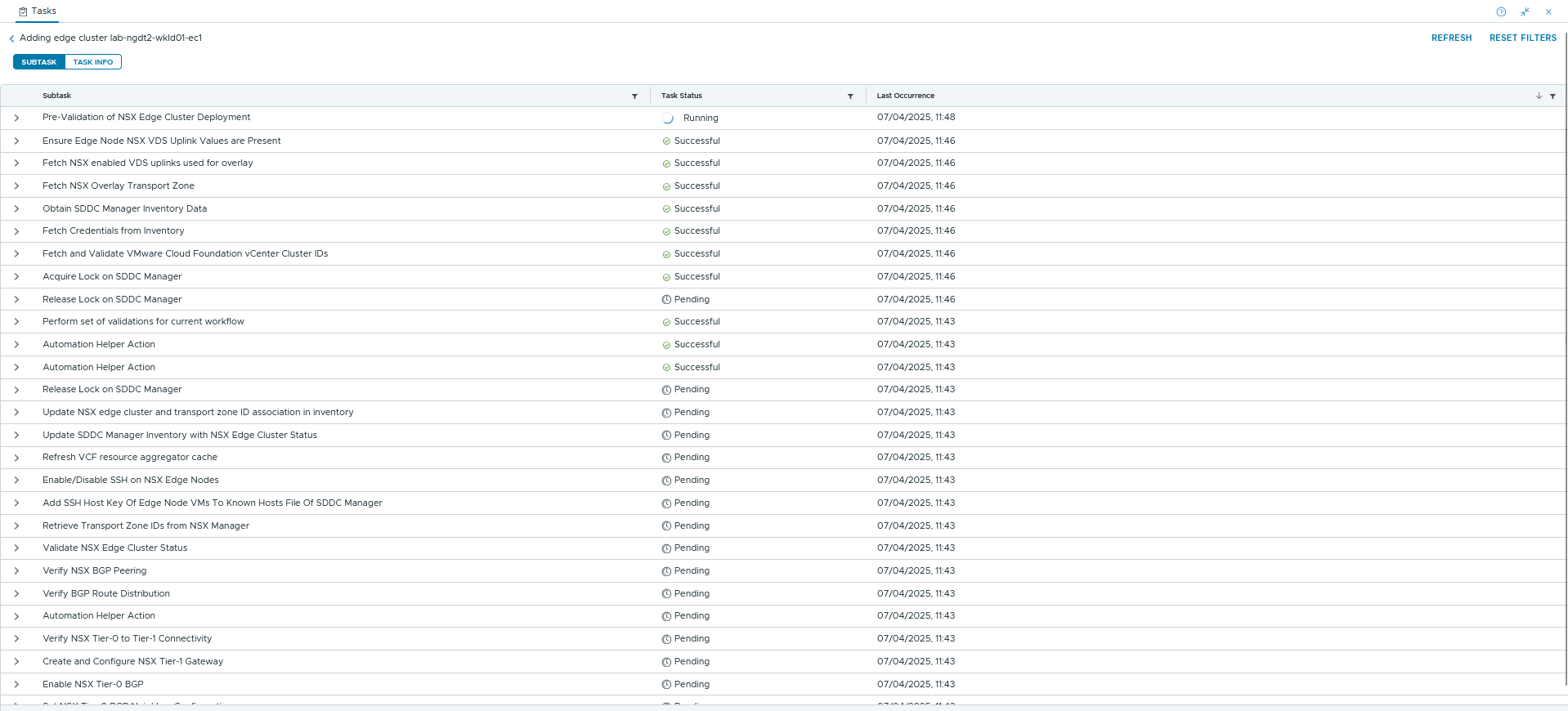
Request:
{
    "edgeClusterName": "wkld01-ec1",
    "edgeClusterType": "NSX-T",
    "edgeRootPassword": "yourpassword",
    "edgeAdminPassword": "yourpassword",
    "edgeAuditPassword": "yourpassword",
    "edgeFormFactor": "MEDIUM",
    "tier0ServicesHighAvailability": "ACTIVE_ACTIVE",
    "mtu": 9000,
    "asn": xxxxx,
    "edgeNodeSpecs": [
        {
            "edgeNodeName": "edge-node-name",
            "managementIP": "xx.xx.xx.xx/24",
            "managementGateway": "xx.xx.xx.xx/24",
            "vmManagementPortgroupVlan": xxxx,
            "vmManagementPortgroupName": "portgroup-name-wkld01-vds01",
            "edgeTepGateway": "xx.xx.xx.xx/24",
            "edgeTep1IP": "xx.xx.xx.xx/24",
            "edgeTep2IP": "xx.xx.xx.xx/24",
            "edgeTepVlan": xxxx,
            "clusterId": "xxxx-818e-41fe-xxxx-1fc2d20f2b98",
            "interRackCluster": false,
            "uplinkNetwork": [
                {
                    "uplinkVlan": xxxx,
                    "uplinkInterfaceIP": "xx.xx.xx.xx/24",
                    "peerIP": "xx.xx.xx.xx/24",
                    "asnPeer": xxxxx,
                    "bgpPeerPassword": "yourpassword"
                },
                {
                    "uplinkVlan": xxxx,
                    "uplinkInterfaceIP": "xx.xx.xx.xx/24",
                    "peerIP": "xx.xx.xx.xx/24",
                    "asnPeer": xxxxx,
                    "bgpPeerPassword": "yourpassword"
                }
            ]
        },
        {
            "edgeNodeName": "edge-node-name",
            "managementIP": "xx.xx.xx.xx/24",
            "managementGateway": "xx.xx.xx.xx/24",
            "vmManagementPortgroupVlan": xxxx,
            "vmManagementPortgroupName": "portgroup-wkld01-vds01",
            "edgeTepGateway": "xx.xx.xx.xx/24",
            "edgeTep1IP": "xx.xx.xx.xx/24",
            "edgeTep2IP": "xx.xx.xx.xx/24",
            "edgeTepVlan": xxxx,
            "clusterId": "xxxx-818e-41fe-xxxx-1fc2d20f2b98",
            "interRackCluster": false,
            "uplinkNetwork": [
                {
                    "uplinkVlan": xxxx,
                    "uplinkInterfaceIP": "xx.xx.xx.xx/24",
                    "peerIP": "xx.xx.xx.xx/24",
                    "asnPeer": xxxxx,
                    "bgpPeerPassword": "yourpassword"
                },
                {
                    "uplinkVlan": xxxx,
                    "uplinkInterfaceIP": "xx.xx.xx.xx/24",
                    "peerIP": "xx.xx.xx.xx/24",
                    "asnPeer": xxxxx,
                    "bgpPeerPassword": "yourpassword"
                }
            ]
        }
    ],
    "tier0RoutingType": "EBGP",
    "tier0Name": "name-of-wkld01-t0-gw01",
    "tier1Name": "name-of-wkld01-t1-gw01",
    "tier1Unhosted": false,
    "edgeClusterProfileType": "CUSTOM",
    "edgeClusterProfileSpec": {
        "edgeClusterProfileName": "name-of-wkld01-ec1",
        "bfdAllowedHop": 1,
        "bfdDeclareDeadMultiple": 2,
        "bfdProbeInterval": 500,
        "standbyRelocationThreshold": 10
    }
}
After approximately 20 minutes, the newly deployed Edge Nodes appeared in SDDC Manager. 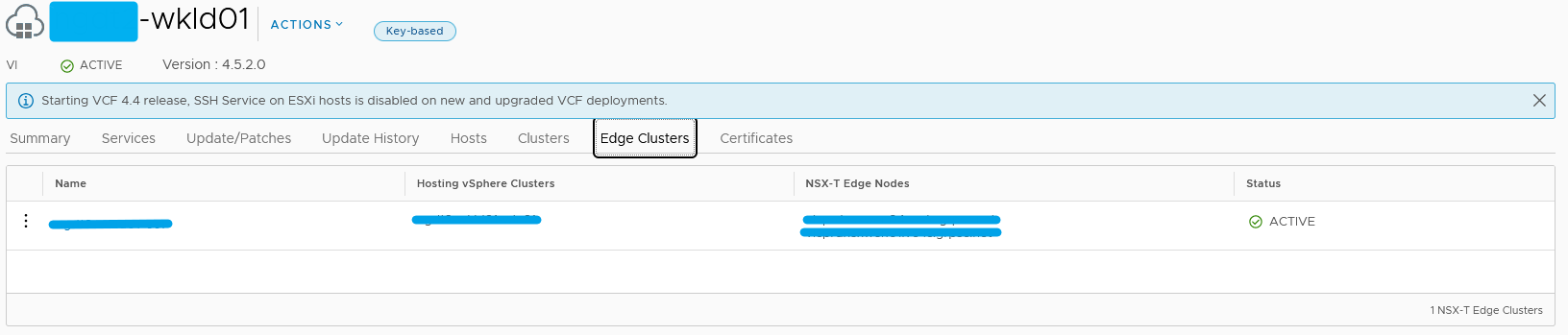
As you can see my test VMs were reconverged smoothly on the new Edge Nodes because all connectivity remained stable with only one packet lost.
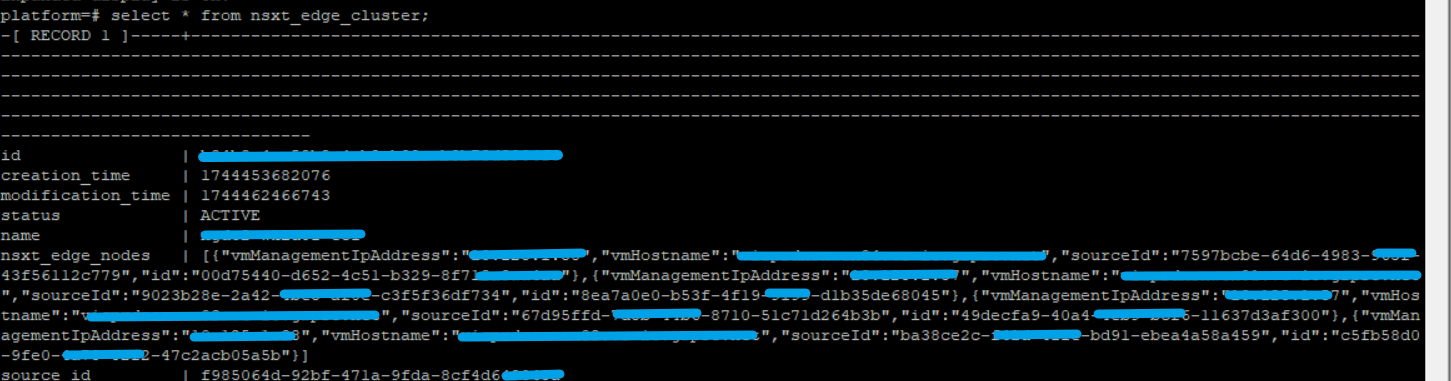
After completing the migration, I was able to expand the SDDC Edge Cluster directly from SDDC Manager without any issues. 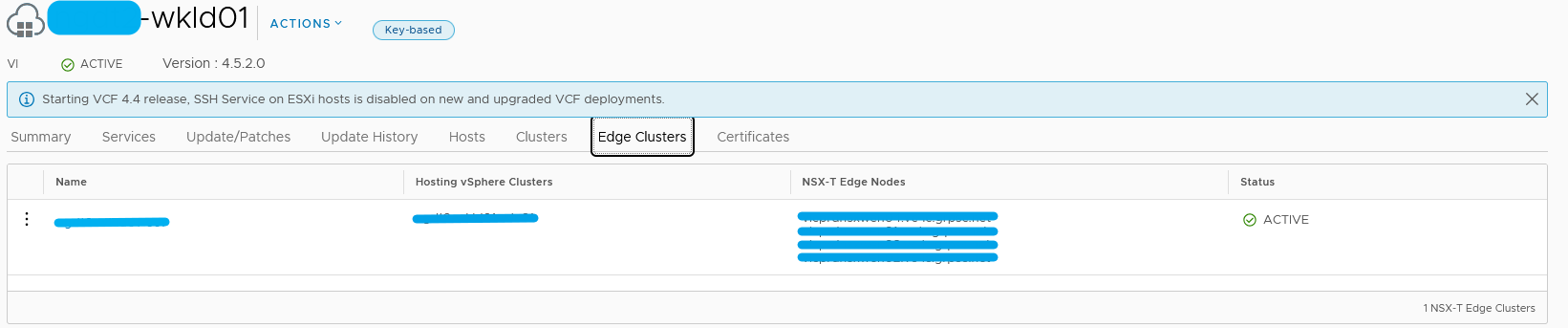
Conclusion:
Before upgrading to VCF 5.2.1, I strongly recommend ensuring that all NSX Edge Nodes are deployed directly through SDDC Manager. Edge Nodes deployed outside of SDDC Manager are not supported by VMware/Broadcom, and VMware/Broadcom may decline to provide support if a case is opened against such a configuration.
I will publish a second article on this topic, as VMware currently has two different positions regarding this configuration:
- One from the NSX Team
- Another from the VCF Team
No responses yet